Day Trading Monitor Setups: Reddit vs Professional Analysis
Unlock More Features
Login to access AI-powered analysis, deep research reports and more advanced features
About us: Ginlix AI is the AI Investment Copilot powered by real data, bridging advanced AI with professional financial databases to provide verifiable, truth-based answers. Please use the chat box below to ask any financial question.
The Reddit discussion reveals a wide spectrum of monitor preferences among day traders, with no clear consensus on a “perfect” setup:
- Popular Configurations: Many users favor Setup 5 (three monitors with center primary) or Setup 6 (six monitors), citing ample screen real estate without overwhelming complexity
- Minimalist Approach: Several experienced traders argue 2-3 monitors are sufficient, with one large ultrawide or software tiling replacing multiple screens
- Extreme Trading: A minority trade solely on smartphone or laptop, asserting strategy and speed matter more than screen count
- Consensus: The “perfect” setup depends on personal data processing and trading style rather than a universal number
- Hybrid Solutions: Some users share hybrid setups (e.g., three monitors plus a TV or laptop) and note incremental upgrades as needs grow
The original poster’s “2+9 setup” (11 total monitors) appears to be an extreme configuration that even experienced Reddit traders find excessive.
Professional trading analysis provides more structured guidance on optimal monitor configurations:
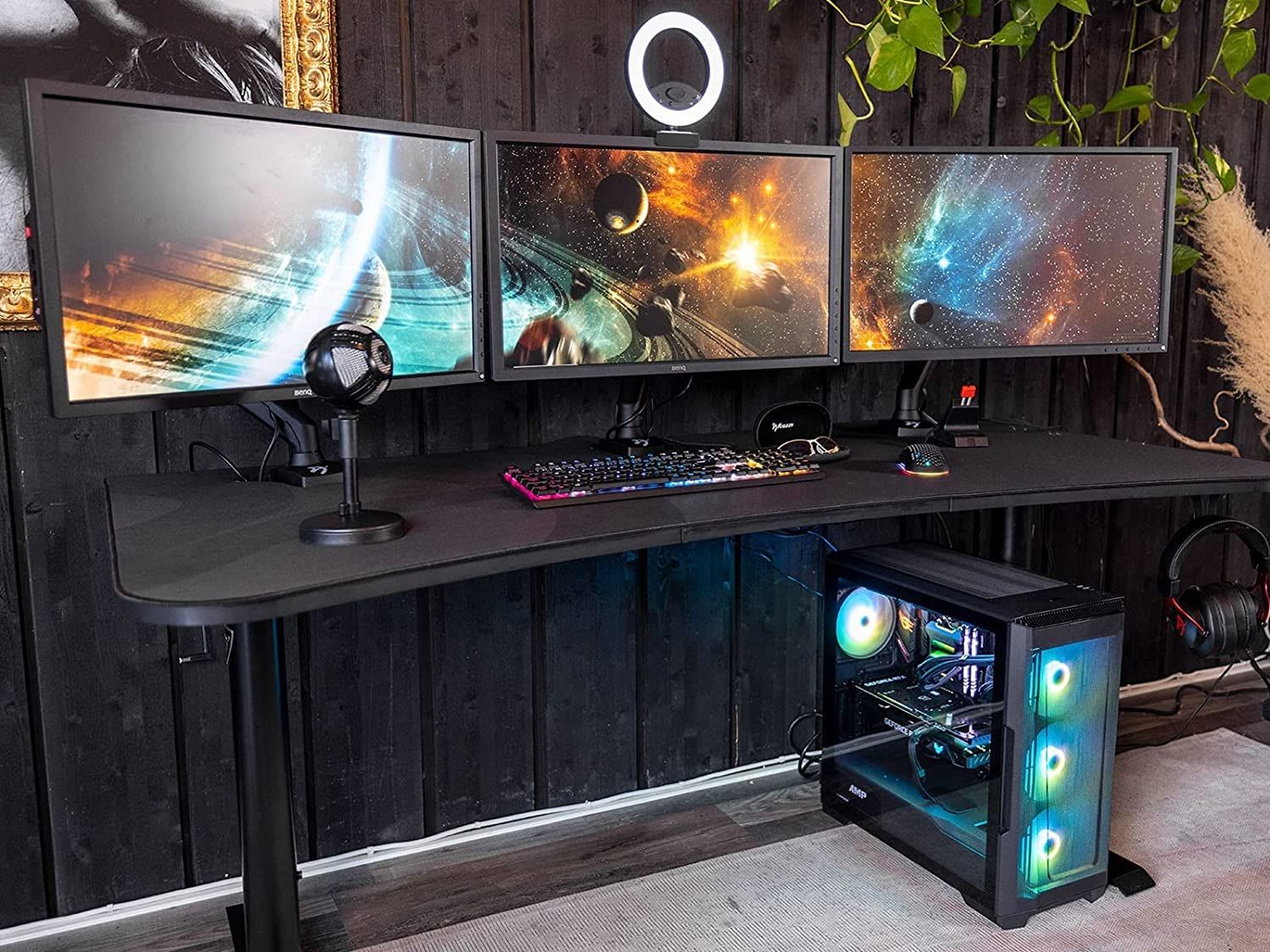
- Optimal Range: 3-4 monitors are considered ideal for most day traders, allowing dedicated screens for charting, market news, order entry, and portfolio management
- Advanced Setups: 6-monitor configurations create comprehensive workstations for expanded data visibility but may cause cognitive overload
- Screen Allocation Strategy: Professional traders recommend specific layouts - DOM ladder for bid/ask data, primary execution charts (5-15 minute), and high-level structure charts (daily/60-minute)
- Technical Specifications: 27-32 inch displays with 4K resolution for primary screens, 1440p for secondary displays, with IPS panels preferred
- Ergonomic Requirements: Primary monitor directly in front at arm’s length, secondary monitors angled inward to create a semi-circle, with screens at or slightly below eye level
Research specifically addresses extreme setups like the 11-monitor configuration, noting they create physical limitations, cognitive overload, and diminishing returns beyond 4-6 monitors.
Both Reddit discussions and professional research converge on key insights while offering different perspectives:
- Personal trading style and data processing capabilities are more important than screen count
- 3-4 monitors represent a practical sweet spot for most traders
- Ergonomics and screen positioning are critical factors
- Quality of information matters more than quantity of screens
- Reddit shows more acceptance of extreme setups (some users trading on single devices), while research strongly recommends against configurations beyond 6 monitors
- Professional analysis provides specific technical specifications and ergonomic guidelines that Reddit discussions lack
- Research emphasizes cognitive overload risks that Reddit users don’t consistently address
- Traders should prioritize ergonomic setups and screen quality over sheer quantity
- The 11-monitor setup mentioned by the original poster is likely impractical and counterproductive
- Incremental upgrades based on actual trading needs are more effective than starting with excessive configurations
- Cognitive Overload: Excessive monitors (6+) can impair decision-making and reaction time
- Physical Strain: Poor ergonomic setups lead to neck/back pain and reduced trading performance
- Hardware Costs: Diminishing returns on investment beyond 4-6 monitors
- Information Paralysis: Too much data can lead to analysis paralysis rather than better trading decisions
- Optimized Performance: Proper 3-4 monitor setups can significantly improve trading efficiency
- Cost Savings: Avoiding excessive monitor purchases reduces overhead while maintaining effectiveness
- Scalable Growth: Starting with 2-3 monitors and expanding based on actual needs provides better ROI
- Technology Integration: Modern ultrawide displays and software tiling can replace multiple smaller screens effectively
Insights are generated using AI models and historical data for informational purposes only. They do not constitute investment advice or recommendations. Past performance is not indicative of future results.
About us: Ginlix AI is the AI Investment Copilot powered by real data, bridging advanced AI with professional financial databases to provide verifiable, truth-based answers. Please use the chat box below to ask any financial question.